

Check the button dial switch of the PTZ camera.
Two DIP switches are set to ON or OFF to select different modes of operation as shown in picture.
Note: Working mode can be applicable dor web upgrade.
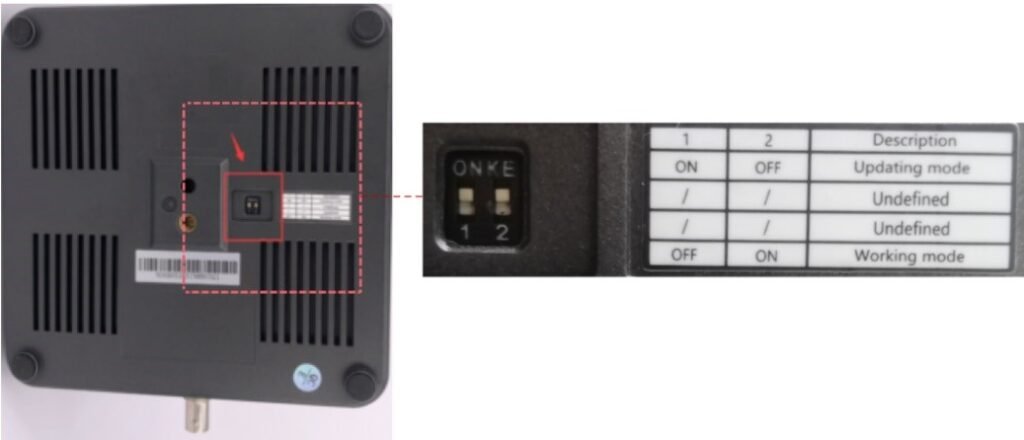
Check the button dial switch of the PTZ camera.
Two DIP switches are set to ON or OFF to select different modes of operation as shown in picture.
Note: Working mode can be applicable dor web upgrade.

1) Log in to the ZowieCAM web page
2)Click 'Setting->Camera->Image->Start Calibration ,then manually twist the focus ring until it is completely sharp.
3)Then click 'End Calibration'on the web page.
The specific hardware versions and corresponding functions are as follows:
(1) Please use official NDI software, such as NDI monitor, to check whether the NDI source can be decoded normally.
(2) Please check whether the IP address displayed by the NDI source is in the same network segment as the IP address of ZowieBox.
Learn more