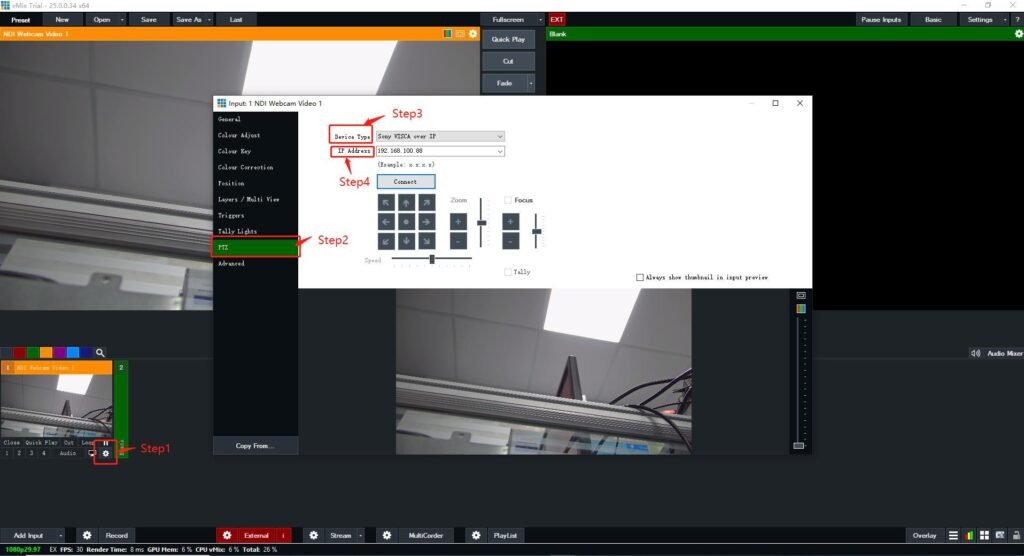

Step 1: Open vMix Software, click “Configure various Input settings”.
Step 2: Select the PTZ device type that matches your camera from the Device Type dropdown box.
Entering in the PTZ camera network address, then connecting to the PTZ camera. Once the Device Type and Address have been selected, click “Connect” to connect the camera. If successful, the controls below the Connect button will be enabled.