

1. Open AMD Settings by right-clicking on your desktop and select AMD Settings.

2. Click on Gaming->Display
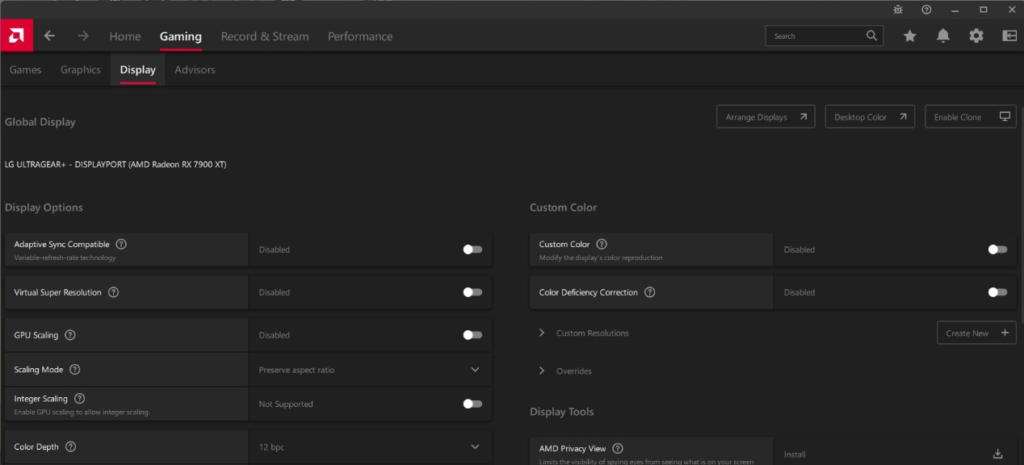
3. Change the color depth to 8bit.
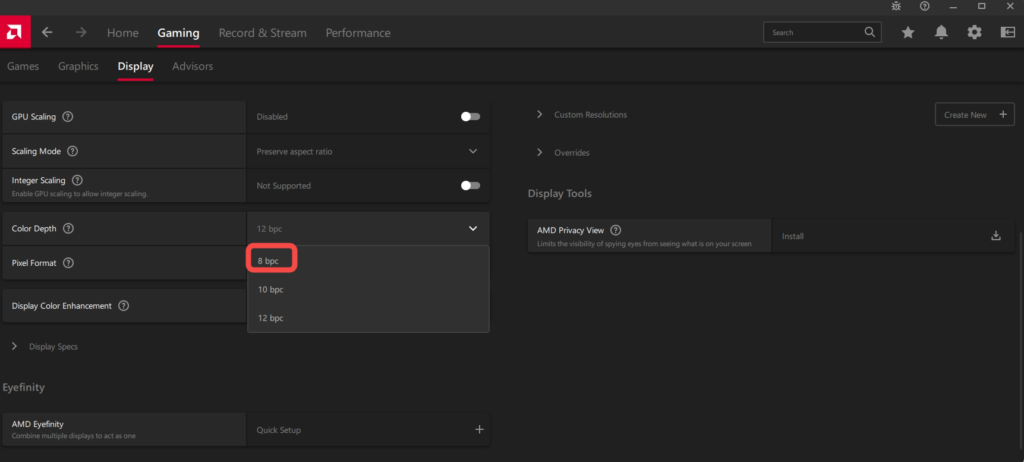
4. Change the Pixel format to 4:2:2

5. Close AMD Settings, when done.
