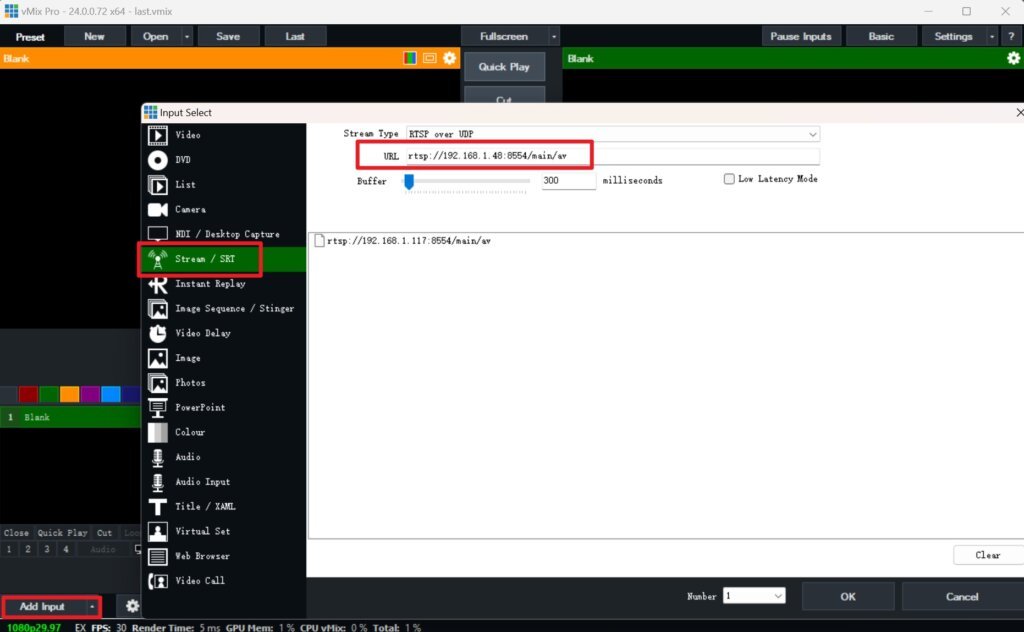

Method 1:
The computer has successfully installed NDI Tools(https://ndi.video/tools/)
Open the vMix software, click the Add Input button in the lower right corner, click NDI/Desktop Capture in the pop-up window, select the required NDI stream and click OK.
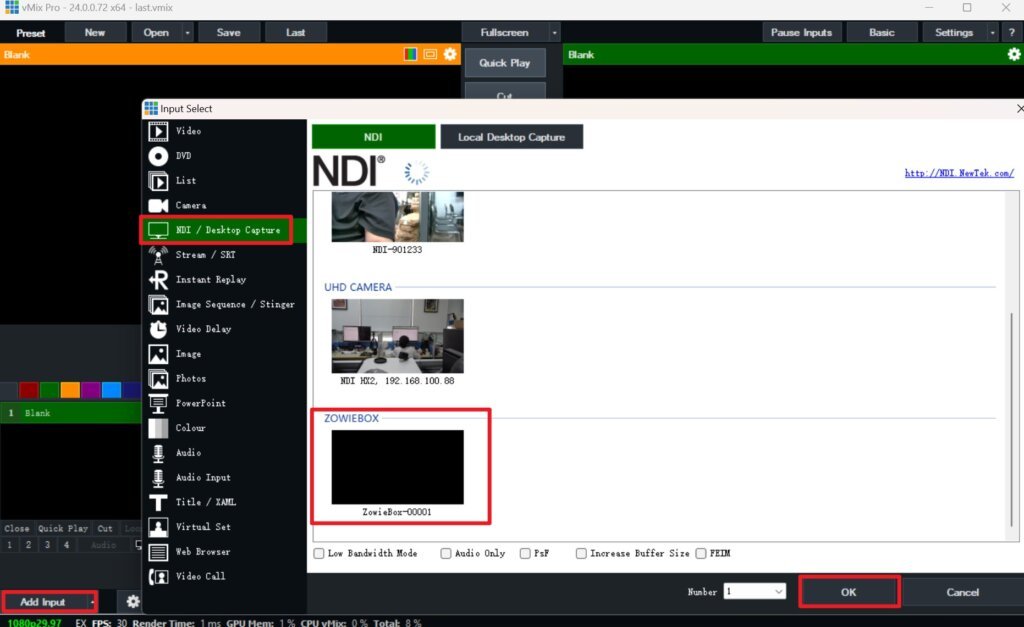
Method 2:
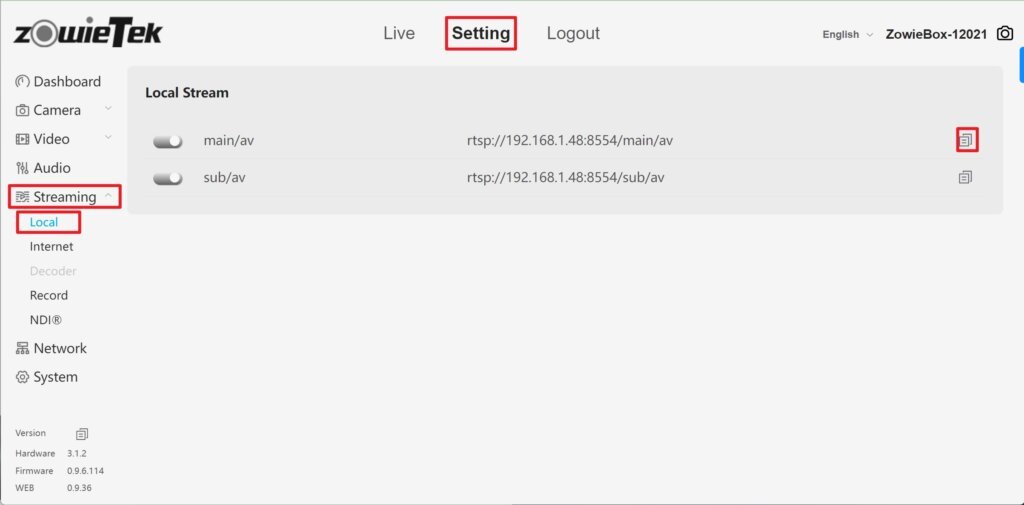
Log in to the web console of ZowieBox, click Setting->Streaming->Local, and click the copy button on the right to copy the local stream address.
Open the vMix software, click Add Input on the lower left side, click Stream / SRT in the pop-up window, paste the local stream address just copied into the URL box, and click OK.