

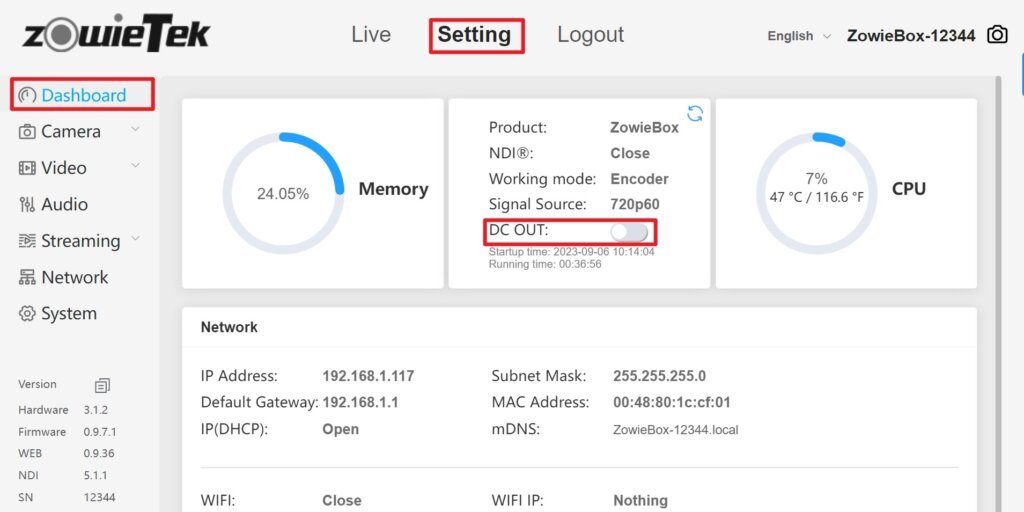
The DC out is turned off by default. If users want to use the DC out function, please log in to the web control interface of ZowieBox first.
Click Setting->Dashboard and turn on the DC out button.
Please connect to the DC OUT port with a DC5.5*2.1MM male-to-male power cord, and then connected to the PTZ camera power port through a DC5.5*2.1 female to male adapter according to the PTZ camera power interface.
The maximum output power of DC out is 12V 1A, please do not exceed this power.
