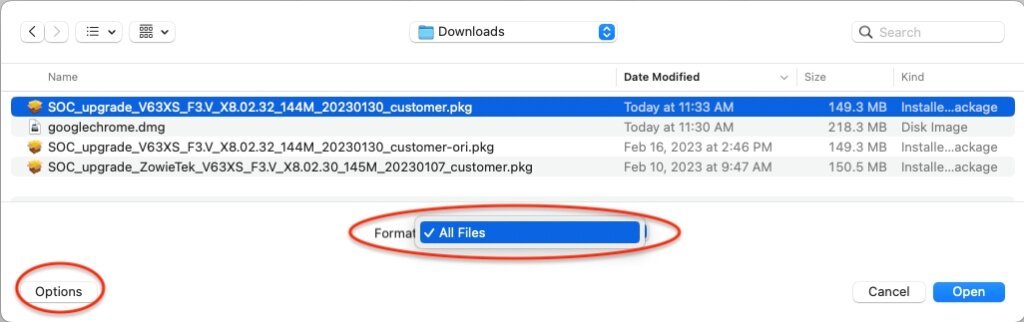

First, upload dialog in Chrome (select a file from your computer),
Click Other to select All Files, otherwise, the .pkg files will be greyed out and cannot be selected.
In Chrome’s dialog go to > System > Firmware Upload (select a file from your computer),
Click “Options” – then click the format popup, (show) all files. Otherwise, the .pkg file may be grayed out and cannot be “committed”.